

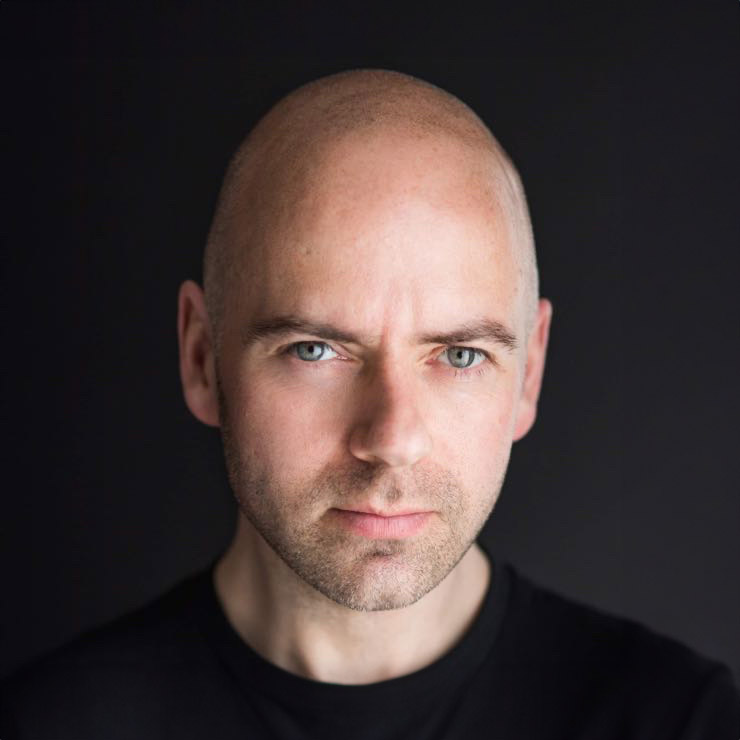
That moment when you spot your own LinkedIn profile and realise the photo is five years old, badly cropped, or clearly taken at a wedding is usually the point you start searching for how to update your LinkedIn photo. The good news is that changing it is simple. The more valuable question is how to do it well, so your profile looks current, credible and approachable the moment someone lands on it.
Your photo does a lot of quiet work on LinkedIn. Recruiters notice it. Potential clients notice it. Colleagues, collaborators and event contacts notice it. A strong image does not need to make you look flashy or overly polished. It needs to look like you on a good day – professional, confident and easy to trust.
How to update your LinkedIn photo on desktop and mobile
If you are simply trying to replace your current image, LinkedIn makes the process fairly straightforward. On desktop, sign in, go to your profile, move to your existing profile image and click the camera icon or edit option. From there, upload your new photo, adjust the crop, and save it.
On the mobile app, tap your profile picture, select the option to edit the photo, choose a new image from your phone, then crop and save. The steps can vary slightly depending on whether you are using an iPhone or Android device, but the process is broadly the same.
That covers the mechanics. What matters more is what you upload.
Choose a photo that matches your professional goals
Before you update anything, pause for a minute and ask what your LinkedIn profile is meant to do for you. Someone applying for senior corporate roles may need a different style of image from a personal trainer, actor or freelance designer. The aim is not to look identical to everyone else in your field. The aim is to look right for the kind of opportunities you want.
For most professionals, the safest and strongest choice is a clean head-and-shoulders image with good light, direct eye contact and a simple background. You should look relaxed rather than stiff, and polished rather than overdone. If you work in a client-facing role, approachability matters just as much as professionalism.
There is always some nuance here. A creative professional might suit a little more personality in the frame. A barrister or finance director may want a more formal presentation. A start-up founder can often sit somewhere in the middle. The best LinkedIn photo is not the most glamorous one. It is the one that supports your reputation.
What makes a good LinkedIn profile photo
A good LinkedIn image usually has a few things in common. Your face is clearly visible. The lighting is flattering and even. The expression feels natural. The crop is close enough that people can recognise you quickly, even in a small circle on a phone screen.
It also helps if the image feels current. If your hairstyle, weight, glasses or general look have changed noticeably, an old favourite may no longer be helping you. You do not need a brand new photo every few months, but you do want one that reflects how you actually appear when you walk into a meeting.
Quality matters too. Blurry images, harsh shadows and heavily filtered photos can quietly undermine trust. The same goes for group shots cropped down badly, holiday snaps, or pictures where your outfit and setting send mixed messages. LinkedIn is not the place for confusion.
Common mistakes people make when they update their LinkedIn photo
The biggest mistake is choosing based on personal preference alone. People often pick the image where they feel thinnest, youngest or most dressed up, rather than the one that looks most credible and natural. Those are not always the same thing.
Another common issue is poor cropping. If your face is tiny in the frame, the image loses impact. If the crop is too tight, it can feel awkward. LinkedIn profile pictures are small, so your features need to read clearly at a glance.
There is also the temptation to use a photo that is technically decent but emotionally flat. A neutral expression can work, but if you look tense, distant or uncomfortable, viewers pick up on that. Confidence does not mean looking stern. In many cases, a slight, genuine smile performs better because it makes you appear more open and easier to approach.
Should you use a professional headshot?
If LinkedIn matters to your work, then yes, a professional headshot is often worth it. Not because it needs to look expensive, but because a properly made headshot is designed for exactly this job. Lighting, expression, lens choice, posture, clothing and crop all affect how you come across.
This is especially helpful if you do not enjoy being photographed. Most people are not natural in front of the camera, and that is completely normal. A good photographer does more than press the shutter. They guide your expression, help you settle into a flattering posture, and make sure the final image looks like you at your best rather than a stiff version of you trying too hard.
That said, it depends on your stage and budget. If you need to update your profile today and only have access to a decent smartphone, natural window light and a plain background can still produce something respectable. Just avoid treating a rushed selfie as good enough if LinkedIn is important to your career.
How to prepare before uploading your new photo
Once you have chosen the right image, check it on both desktop and mobile before you upload it. LinkedIn displays profile photos quite small in feeds, comments and search results. A photo that looks fine full size can lose all its strength when reduced.
Make sure your face sits comfortably in the crop and that your eyes are easy to see. If the image feels dark, muddy or too busy in the background, pick another version. It is also worth checking whether your banner image, headline and profile text still match the impression your new photo creates. A good LinkedIn profile works as a whole.
If you are using a professionally shot headshot, choose the version that suits LinkedIn rather than automatically picking the most dramatic or stylish one. Some portraits work brilliantly on a website or press feature but feel too fashion-led for a networking platform. Simple usually wins here.
Editing and cropping tips that help
LinkedIn gives you limited room to refine the image, so start with a well-prepared file. Keep the crop around head and shoulders, with a little space above your head and enough room to avoid feeling cramped. Your face should be the clear focal point.
Go easy on retouching. Minor tidy-ups are fine, but if your skin looks overly smoothed or your features no longer look like your real face, the photo starts working against you. People want consistency between your online presence and real life. Looking refreshed is good. Looking unrecognisable is not.
A neutral or softly blurred background tends to work best because it keeps attention on you. Strong colours can work if they fit your personal brand, but if the background competes with your face, it is too much.
When should you update your LinkedIn photo?
There is no fixed rule, but a good benchmark is every couple of years, or sooner if your appearance or role has changed. If you have moved into a more senior position, changed industry, launched a business or started attracting a different type of client, your photo may need to catch up.
It is also worth updating if your current image was a compromise from the start. Many people upload something quickly with the intention of replacing it later, then leave it there for years. If your profile photo does not reflect the standard of work you want to be associated with, later should probably become now.
For teams, consistency matters too. If a company page and staff profiles all use different styles, lighting and image quality, the brand can look disjointed. A coordinated set of headshots creates a stronger impression of professionalism.
The final check before you hit save
Before you save the new photo, ask yourself a simple question: if a recruiter, client or referral saw this image before reading anything else, would it help them feel confident about speaking to you? That is the real test.
If the answer is yes, upload it and move on. If the answer is almost, you may be better waiting for a stronger image. A LinkedIn photo is a small detail, but it carries a surprising amount of weight. Getting it right does not require perfection. It requires intention.
And if being photographed makes you uneasy, remember this – the best professional photos rarely come from people who love the camera. They come from people who had the right guidance, a calm process and an image that finally felt like them.


