

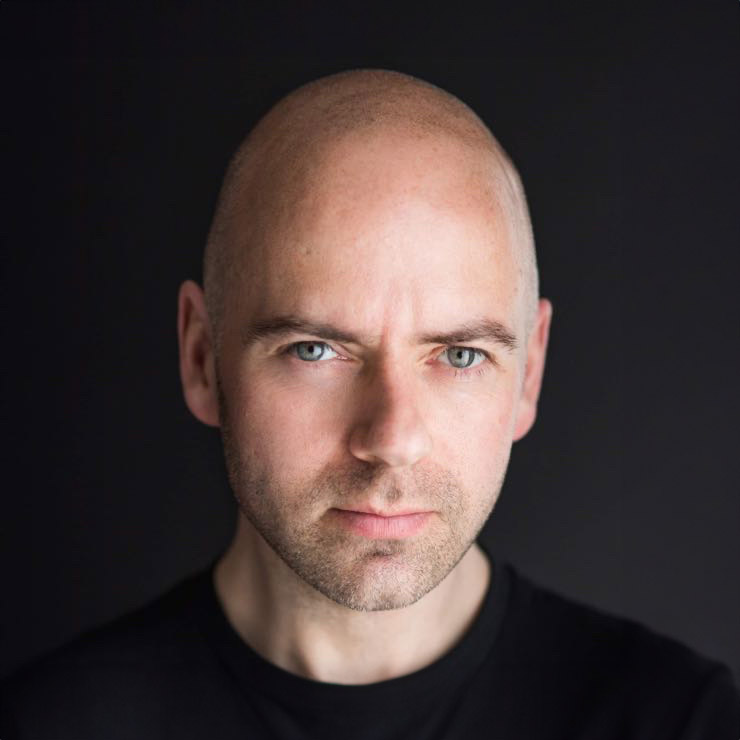
If your LinkedIn photo still looks like it was cropped from a wedding, a night out, or a company page from five jobs ago, people notice. This LinkedIn headshot update guide is here to help you make a stronger first impression – one that looks current, credible and genuinely like you on a good day.
For most professionals, a profile photo is not a small detail. It is often the first thing a recruiter, client, colleague or potential employer sees before they read a single word of your experience. A good headshot does not need to be flashy. It needs to feel clear, professional and approachable, while matching the level of work you want to attract.
When your LinkedIn photo needs updating
Many people keep the same profile image for far too long because changing it feels awkward, or because they assume any reasonably smart photo will do. In reality, your photo can quietly date your profile or send mixed signals.
A headshot usually needs updating if your appearance has changed in a noticeable way, if your role has moved on, or if the image no longer reflects how you want to be perceived. That might mean a promotion into leadership, a move into client-facing work, a shift into self-employment, or simply a growing awareness that your current picture looks casual or unclear.
There is also the issue of image quality. Grainy mobile phone photos, heavy filters, poor cropping and dated lighting all make a profile look less polished than it should. None of that means you need a stiff, overly corporate portrait. It means your image should feel current and intentional.
What a strong LinkedIn headshot actually does
The best LinkedIn headshots work hard in a very small space. They build trust quickly. They suggest confidence without arrogance. They help you look approachable enough to contact and professional enough to take seriously.
That balance matters. If your expression is too stern, you can appear unapproachable. If the photo is too casual, people may question your professionalism. If it is overly retouched or stylised, it can feel disconnected from real life. A strong profile image sits in the middle. It is polished, but believable.
For job seekers, this can support credibility in a competitive market. For consultants and business owners, it can influence whether someone clicks through or gets in touch. For team members and leaders, it helps create consistency across a company presence. The value is not vanity. It is clarity.
LinkedIn headshot update guide: what to change first
Before you book a session or upload a new image, start with the goal. Ask yourself how you want to come across on LinkedIn right now. Different industries allow for different levels of formality, and that should shape your choices.
A solicitor, for example, may need a more refined and structured look than a creative freelancer. A personal trainer may want energy and warmth, while a senior executive may need calm authority. Neither is more correct. It depends on the audience and the type of work you want to attract.
Once you are clear on the impression you want to create, the rest becomes easier. Clothing, background, expression and crop all start working together rather than fighting each other.
Choose an image that looks like you at your best
This sounds obvious, but it is where many people go wrong. Your LinkedIn photo should be flattering, yes, but it should also be recognisable. If someone meets you after seeing your profile, there should be no sense of surprise.
That means going easy on filters, dramatic editing and trendy effects. Natural retouching is fine if it keeps the image clean and polished. What you want to avoid is removing so much texture or character that the image starts to look artificial.
Wear what your role requires, not what photographs best in theory
Clothing should support your professional positioning. Usually, solid colours work better than busy patterns, and well-fitted clothing nearly always photographs better than anything oversized or creased. But the right outfit is not always a suit.
If your day-to-day work is smart casual, your photo should not make you look dressed for a boardroom you never enter. On the other hand, if you are in finance, legal services or senior management, a more polished look often makes sense. The aim is alignment. People should see your photo and feel that it matches your world.
Get the crop and composition right
LinkedIn profile photos are small, so detail matters. Your face should be clearly visible, your eyes should be sharp, and the crop should usually sit around head and shoulders. If you are too far away, your features disappear. If the crop is too tight, the image can feel uncomfortable.
Simple backgrounds tend to work best because they keep the focus on you. Good lighting also matters more than most people expect. Soft, flattering light can make you look healthier, more alert and more confident without any visual tricks.
Should you use a professional headshot photographer?
Sometimes a capable phone photo in good light is enough for a quick improvement. If your current image is truly poor, a well-shot DIY update can be better than leaving an outdated photo in place for another year.
That said, there is a reason professional headshots make a difference. Most people are not comfortable in front of the camera, and that discomfort shows immediately. A good photographer does more than press a button. They guide posture, expression, angle, eyeline and small adjustments that change how confident and natural you look.
This is especially valuable if your LinkedIn presence directly affects your career or business. If clients are checking your profile before meetings, if recruiters are reviewing your page, or if you are building a personal brand, a professionally created image is often worth it.
Studios such as Newcastle Headshots focus on this exact problem: helping ordinary professionals look polished and approachable without making the process feel stiff or intimidating. That coaching element is often what turns a nervous session into a strong final image.
Common mistakes that weaken your profile
A surprising number of LinkedIn photos fail for avoidable reasons. One of the biggest is using an image taken for a different purpose. Holiday snaps, cropped group shots and event photos rarely give the right impression, even when the person looks happy and well dressed.
Another common issue is inconsistency. If your photo is highly casual but your profile presents you as a senior expert, the message clashes. The same happens when the image is very formal but your business is built on warmth and accessibility.
There is also the temptation to choose the photo you personally like rather than the one that communicates best. Your favourite image may not be the strongest professional image. This is where outside guidance helps. What feels natural to you is not always what reads best to others.
How often should you update your LinkedIn headshot?
There is no perfect schedule, but every two to three years is a sensible benchmark for many professionals. You may need to update sooner if your look has changed, if your role has shifted, or if your current image no longer reflects your level.
A new headshot can also be useful at moments of transition. Starting a business, moving into leadership, changing industries or returning to the job market are all good times to refresh your photo. Think of it less as routine maintenance and more as keeping your professional presence aligned with where you are now.
A simple checklist before you upload
Look at your image at thumbnail size, because that is how most people will first see it. If your face is not instantly clear, the crop may be wrong. If the expression feels forced, try a different frame. If the clothing or background distracts, the image may not be doing its job.
Also compare it with the tone of your headline, banner and profile text. Your LinkedIn presence works best when all the pieces feel consistent. The photo should not carry the whole burden, but it should support the story the rest of your profile is telling.
Confidence matters more than perfection
The people who put off updating their headshot are often the ones who need it most. They worry they are not photogenic, they do not know what to wear, or they assume they will feel uncomfortable and look awkward. That is completely normal.
The good news is that a strong LinkedIn headshot is not about looking perfect. It is about looking like a capable, approachable professional who takes their career seriously. With the right guidance, most people photograph far better than they expect.
If your profile photo no longer matches where you are heading, changing it can be a small step with a surprisingly visible effect. A current, well-made headshot tells people you are present, professional and ready to be taken seriously.


