

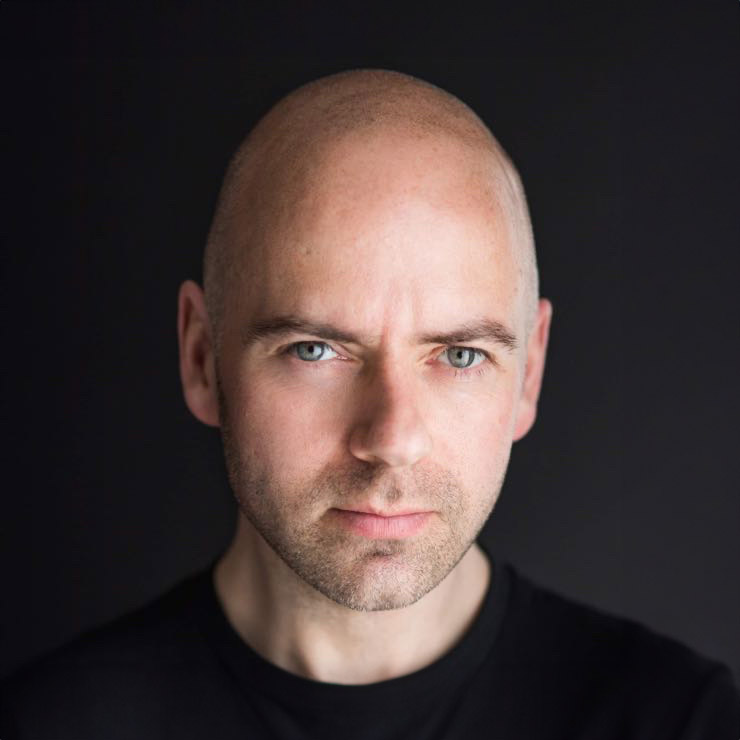
Your LinkedIn profile may be read before your CV, portfolio or first conversation. That means your photo is not a small finishing touch. It is the first visual cue that tells a recruiter, prospective client or new contact whether you look credible, approachable and ready to engage. This LinkedIn photo review checklist helps you judge whether your current image supports the professional impression you want to make.
A strong LinkedIn photo does not need to make you look overly polished, dramatically posed or unlike yourself. It should make it easy for people to recognise you, trust you and feel comfortable getting in touch. The best image is usually one that feels clear, current and confidently natural.
Start with the question: what should your photo say about you?
Before assessing lighting, clothes or cropping, be clear about the message. A solicitor, startup founder, project manager, actor and personal trainer will not necessarily need the same kind of portrait. However, all need an image that looks intentional and appropriate to the work they do.
Think about the people viewing your profile. Are they hiring for a corporate role, choosing a consultant, considering a collaboration or deciding whether to book your services? Your photo should meet their expectations while still feeling like you.
For most professionals, the aim is a balanced combination of competence and warmth. Looking serious can suit some fields, but a very stern expression can create distance. Looking friendly is valuable, but a casual or playful image may not fit every role. There is no universal expression that works for everyone. There is, however, a clear difference between a photo chosen with purpose and one that has simply been left on the profile for years.
Your LinkedIn photo review checklist
Use these ten checks when reviewing an existing photo or choosing between final headshots. If an image misses one small detail, it may still work. If it fails several checks, it is probably time for an update.
- Your face is easy to see. Your face should take up a meaningful portion of the frame, ideally from around the chest or shoulders upwards. If viewers must squint to find you in a group shot, at a wedding or halfway across a room, the image is not doing its job.
- The image is current. A profile photo should look like the person who would walk into the meeting. If your hairstyle, facial hair, glasses, age or professional style has changed noticeably, replace it. A current portrait prevents that small moment of confusion when an online connection meets you in person.
- The photo is sharp and well lit. Blurry images, harsh shadows and dark phone photos can look careless even when they were taken in a good moment. Soft, considered lighting brings attention to your eyes and expression, while clear focus signals professionalism.
- You are the only person in the frame. LinkedIn is about your professional identity, not your social life. Crop out partners, children and friends rather than leaving a visible shoulder or arm beside you. Avoid images where people have to guess which person is you.
- Your expression feels approachable. You do not need a huge grin. A relaxed face, engaged eyes and a slight, genuine smile often create the most trustworthy result. If you look tense, distracted or uncomfortable, viewers may read the same feeling into your professional presence.
- Your clothing supports your field. Choose clothes that reflect the level of formality your audience expects. A jacket may be right for a finance professional, while a smart knit or simple shirt may feel more natural for a creative business owner. Solid colours tend to photograph well because they keep attention on your face. Extremely busy patterns, oversized logos and clothing that does not fit comfortably can become a distraction.
- The background is quiet. A clean studio background, an uncluttered workplace or a softly blurred outdoor setting can all work well. What matters is that the background supports the image rather than competing with it. Messy rooms, crowded events and recognisable holiday locations take attention away from you.
- The crop works at a small size. LinkedIn displays profile images quite small in comments, search results and connection requests. Open the photo at thumbnail size. Can you still see your face, eyes and expression clearly? A beautiful full-length portrait may be useful elsewhere, but it rarely performs as well as a close, well-composed headshot on LinkedIn.
- The image looks professionally finished. This does not mean heavy retouching or plastic-looking skin. It means balanced colour, flattering light, clean composition and thoughtful detail. A good headshot should look polished without looking artificial.
- The photo feels like you on a good day. This is the final and often most useful check. If an image is technically perfect but you feel it is too stiff, too glamorous or simply not you, people may sense that disconnect. Your best LinkedIn photo should help you show up with confidence, not make you worry that you need to live up to it.
Common LinkedIn photo mistakes that weaken trust
The most common problem is not a terrible photograph. It is an image that sends mixed signals. A cropped party picture might show that you are sociable, but it does not show that you take your professional profile seriously. A distant holiday image may be flattering, but it makes recognition difficult. A webcam screenshot can feel current and familiar, yet poor light and a low camera angle rarely present you at your best.
Over-editing is another issue. Smoothing away every line, whitening teeth excessively or changing facial features can make a portrait feel less believable. Professional retouching should remove temporary distractions and refine the image, while keeping your character, skin texture and natural expression intact.
Be cautious with old company headshots too. If your photo was taken several roles ago, uses dated styling or carries the visual identity of a previous employer, it may no longer represent where you are heading. This matters especially for people changing careers, launching a business or looking for a new role.
How to choose between two good headshots
It is common to narrow your selection down to two photos that both look professional. At that stage, avoid choosing purely on whether you think you look younger, thinner or more conventionally photogenic. Your LinkedIn audience is not reviewing you with the same level of scrutiny that you are.
Instead, compare the images at profile size and ask which one creates the clearest first impression. Which expression looks more open? Which crop gives your face greater presence? Which outfit fits the professional direction you want to take? If one photo feels more relaxed but the other looks more authoritative, the right choice depends on your role and audience.
For example, a job seeker applying to client-facing corporate roles may prefer a composed, polished expression. An independent consultant may benefit from a warmer image that makes starting a conversation feel easier. A performer may want a portrait with more personality, provided it remains clear and current. Context matters, but quality and recognisability always come first.
Review your photo as part of your whole profile
Your profile photo does not work alone. It sits beside your headline, banner image, introduction and recent activity. A thoughtful headshot paired with an out-of-date job title or an empty About section can still leave opportunity on the table.
Check that the visual tone of your photo matches the language in your profile. If you describe yourself as a trusted adviser, business leader or approachable specialist, your image should reinforce that claim. Consistency makes your profile easier to trust because people receive the same message from every element.
It is also worth viewing your profile on a mobile phone. Many people will encounter you there first, and the small circular crop can reveal whether your chosen image is carrying its weight. If your face is too close to the edge, your hair is cut off awkwardly or the background dominates, choose a better crop before uploading.
When a professional headshot is the sensible next step
A professional session is particularly useful when you do not have a current image that passes the checks above, when you are entering a more senior role, or when your work depends on being visible and trusted online. It can also be a relief if you dislike being photographed. Good headshot photography is not about expecting you to know how to pose. It is about receiving calm direction, expression coaching and enough time to settle into the process.
At Newcastle Headshots, clients review images during the session, so there is no need to hope that the final result will feel right. You can see how small adjustments to posture, expression and framing change the impression your portrait creates.
Your photo does not have to be perfect to be effective. It simply needs to look like a confident, current version of you – someone a new contact would be pleased to meet. Give it that small amount of attention, and your LinkedIn profile can start working harder before you have written a single message.


